Free during the pilot · No app for customers
Turn real customer experiences into Google reviews, without the typing.
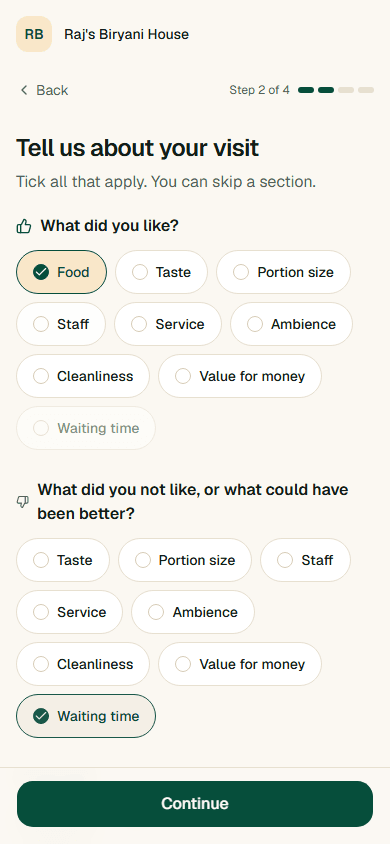
Customers scan a QR code, tick what they liked and didn't, and get an editable review draft. They post it on Google themselves.
The problem
Good experiences shouldn't go unsaid.
Happy customers leave without a word.
They meant to write something. Then they got home.
A blank review box is hard work.
Deciding what to say and typing it on a phone takes more effort than most people give.
Your profile undersells you.
Google shows a fraction of the good experiences your business really delivers.
How it works
Three steps from visit to review
- 1
Scan
The customer scans your QR code. It opens in their phone's browser, with no app.
- 2
Rate and tick
They pick a rating and tick what they liked and didn't like from a short checklist.
- 3
Review and post
They get a review draft, edit any word, and post it on Google themselves.
What you get
Everything you need to start this week
Your QR code in minutes
Add your business, download the QR code, and put it on a table, counter or receipt.
A checklist tailored to your business
Customers tick what matters for your kind of business, like taste, staff or cleanliness.
An insights dashboard
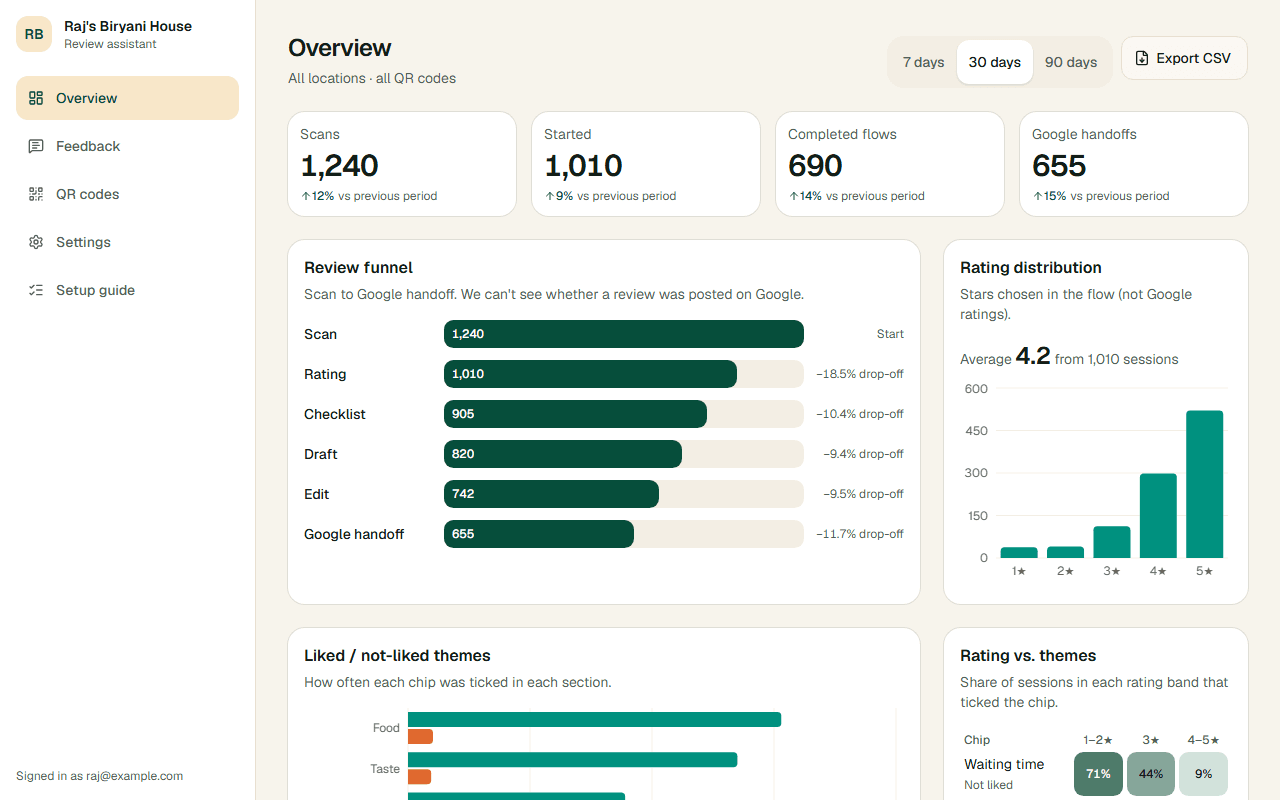
See scans, completed flows, Google handoffs, and what customers liked or didn't.
Works on any phone, no app
Customers scan and finish in the browser they already have.
Trust
Your customers stay in control
Built around Google's guidance for genuine reviews. The words and the decision to post are always the customer's.
They edit every word
The review draft is a starting point. Customers change anything before posting.
They post it themselves
We never post to Google for anyone. Every rating gets the Google option.
No incentives
No discounts, gifts or rewards in exchange for a review.
Negative feedback is never hidden
Low ratings get the same path to Google as high ones. You see it all in your dashboard.
Dashboard
See what your customers are telling you
Track scans, completed flows and Google handoffs, and see which experiences customers liked or didn't.
Who it's for
Made for businesses people visit in person
Make it easy for happy customers to speak up
Join the pilot and get your QR code in minutes. Free during the pilot.